
πŸŽ‰πŸŽŠπŸŽˆβœ¨πŸŽ†πŸŽ‡πŸ₯³πŸŽπŸŽ‰πŸŽŠπŸŽˆβœ¨
    πŸŽ‰ Happy 2026! List faster, save hours. πŸ™
    πŸš€400+ sellers|⚑ 30s AI automation|✨ BG Remover
    Professional eBay Profit Tracker

    Know Your True Profit on Every Sale

    Stop guessing what you're making. Track cost of goods (COGS), calculate real profit margins, and make data-driven sourcing decisions. Professional profit analytics for serious eBay sellers across 18+ global marketplaces.

    Trusted by 400+ Professional eBay Sellers Worldwide & Growing
    β€’400+ Active eBay Sellers & Growing
    β€’10,000+ Listings Successfully Created
    β€’30-Second Photo-to-Listing Creation
    β€’18+ Global eBay Marketplaces Supported
    β€’Handles 1000+ Monthly Listings
    β€’ROI: $400+ Monthly Time Savings
    β€’400+ Active eBay Sellers & Growing
    β€’10,000+ Listings Successfully Created
    β€’30-Second Photo-to-Listing Creation
    β€’18+ Global eBay Marketplaces Supported
    β€’Handles 1000+ Monthly Listings
    β€’ROI: $400+ Monthly Time Savings

    Track Costs. Calculate Profits. Grow Smarter.

    Most eBay sellers have no idea what they're actually making. Revenue looks great until you factor in what you paid for inventory, eBay fees, and shipping. Our profit tracker gives you the complete picture.

    Item Cost Tracking (COGS)

    Enter your cost of goods sold directly when creating listings. Track what you paid for each item - whether sourced from thrift stores, wholesale, or retail arbitrage. Multi-currency support ensures accurate cost tracking regardless of where you source inventory.

    Item cost tracking with COGS entry during listing creation

    True Profit Calculation

    Stop guessing your profit. See the real numbers: Selling Price - Item Cost - eBay Fees - Shipping = True Profit. Color-coded profit margins instantly show which items are winners and which are dragging down your business.

    True profit calculation showing revenue minus costs and fees

    Batch Cost Management

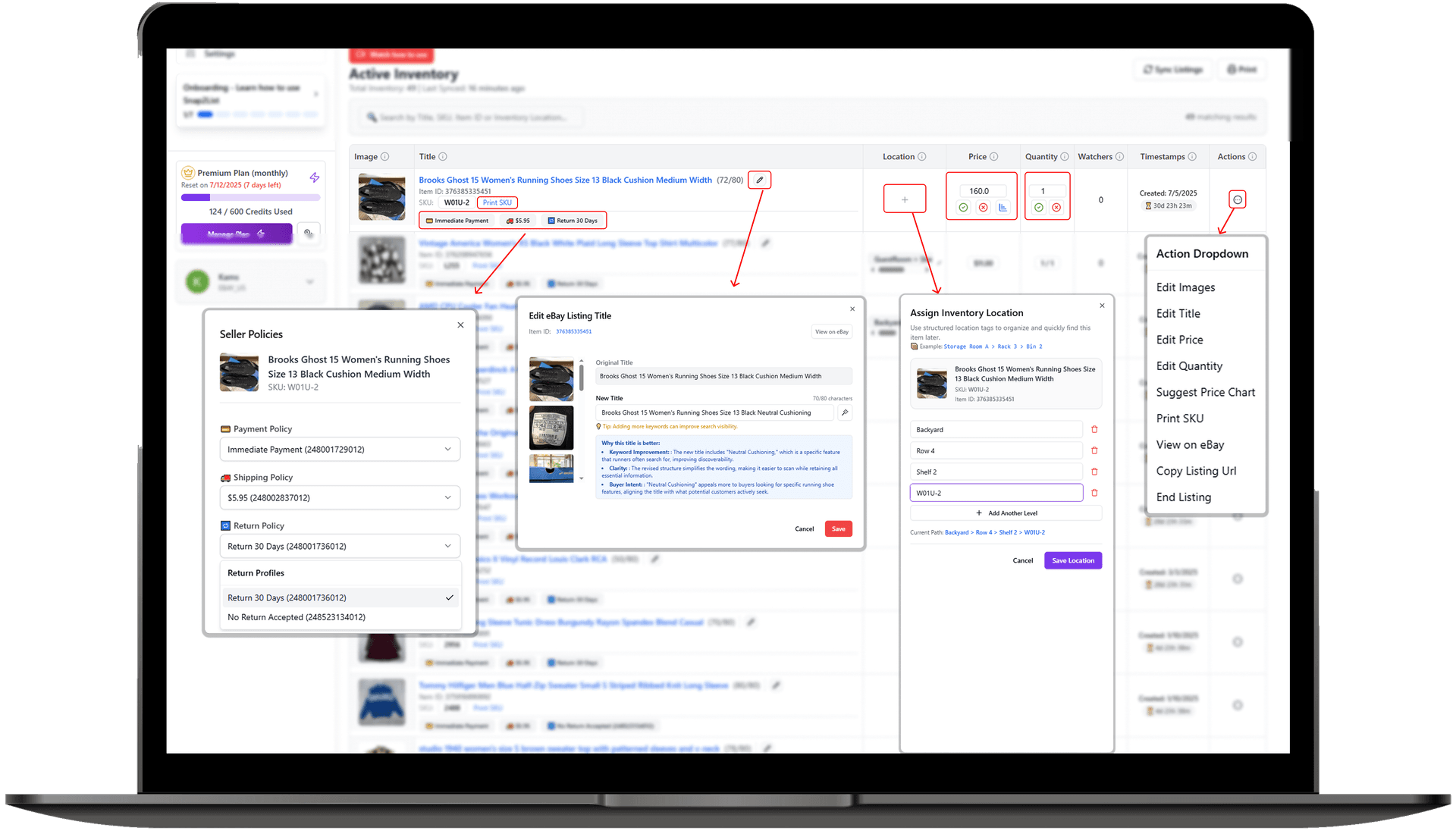
    Processing 50+ items? Apply costs in bulk with one click. Edit costs in the bulk listing flow, sync across devices, and update costs anytime. Perfect for resellers processing large inventory batches from estate sales or liquidation pallets.

    Batch cost management for bulk listing with one-click cost application

    Profit Analytics Dashboard

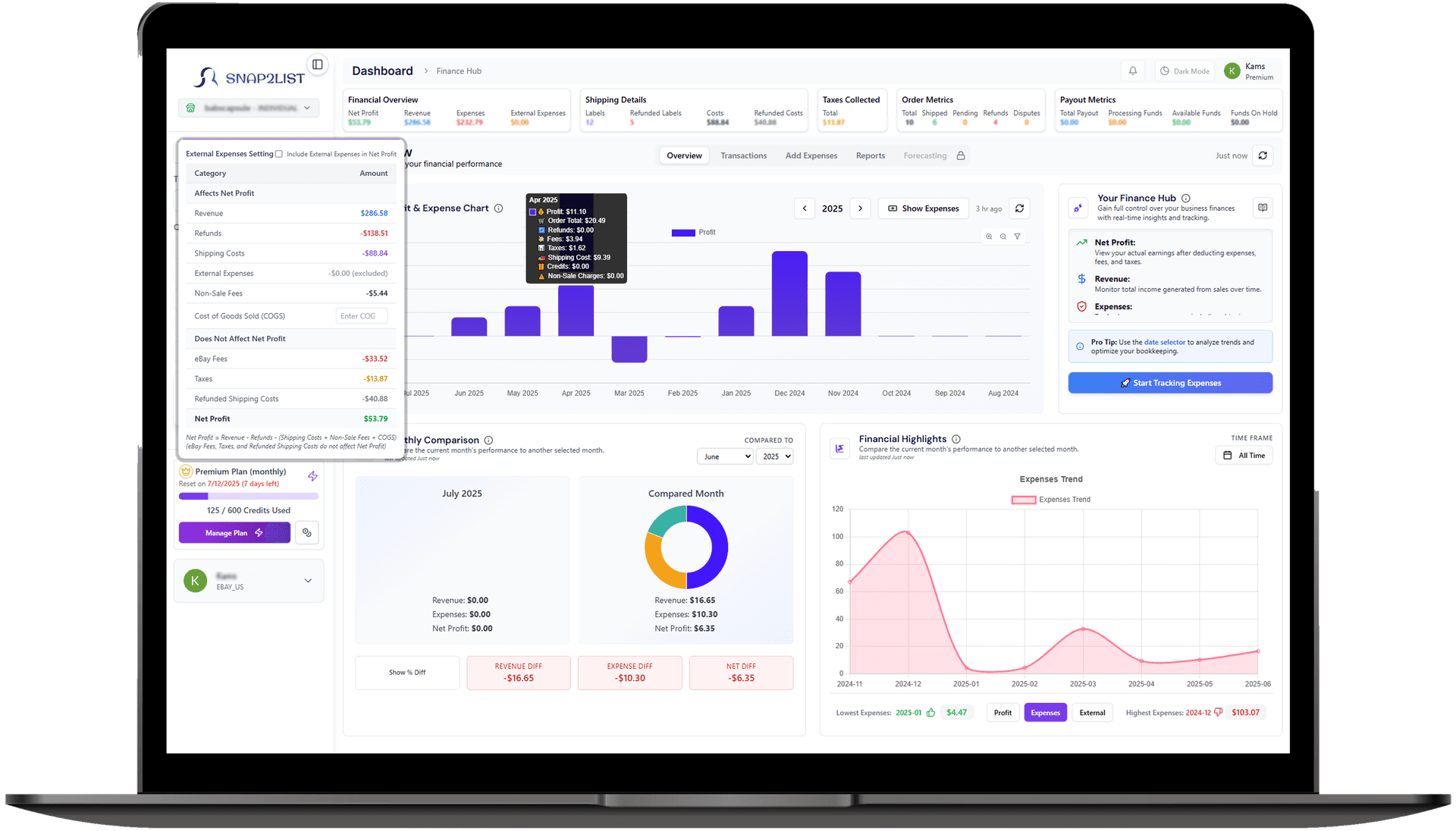
    Track your profitability over time with monthly COGS summaries, average cost per item, and profit trend analysis. See which categories and sourcing methods deliver the best ROI. Make data-driven decisions about where to invest your sourcing budget.

    Profit analytics dashboard with COGS summaries and trend analysis
    Use Snap2List on These Marketplaces!
    eBay IconUnited States
    eBay IconCanada
    eBay IconAustralia
    eBay IconUnited Kingdom
    eBay IconGermany
    eBay IconFrance
    eBay IconItaly
    eBay IconSpain
    eBay IconIreland
    eBay IconNetherlands
    eBay IconBelgium
    eBay IconAustria
    eBay IconSwitzerland
    eBay IconHong Kong
    eBay IconSingapore
    eBay IconPoland
    eBay IconUnited States
    eBay IconCanada
    eBay IconAustralia
    eBay IconUnited Kingdom
    eBay IconGermany
    eBay IconFrance
    eBay IconItaly
    eBay IconSpain
    eBay IconIreland
    eBay IconNetherlands
    eBay IconBelgium
    eBay IconAustria
    eBay IconSwitzerland
    eBay IconHong Kong
    eBay IconSingapore
    eBay IconPoland

    Marketplaces Supported:

    Know Your True Profit on Every Sale

    • COGS at Listing Creation: Enter your item cost right when you create the listing. No more spreadsheets, no more forgetting what you paid. Your cost is saved with the listing and automatically factored into profit calculations when the item sells.
    • Real-Time Profit Margins: See your actual profit margin the moment an item sells. We calculate: Sale Price + Shipping Charged - Item Cost - eBay Fees - Shipping Cost = Your Real Profit. No more guessing, no more surprises.
    • Color-Coded Profitability: Green means money in your pocket, red means you're losing. Instantly identify your best-performing items and categories. Make smarter sourcing decisions based on actual data, not gut feelings.
    • Multi-Currency Support: Source inventory globally and track costs in any currency. Whether you're buying from UK wholesalers, Japanese auctions, or local thrift stores - costs are automatically converted for accurate profit tracking.
    • Historical Cost Data: Track your COGS over time with monthly summaries. See how your sourcing costs trend, calculate average cost per item by category, and identify opportunities to improve your margins.
    Finally I know exactly how much I'm making on each sale. Game changer for my reselling business!
    πŸ’°
    Marcus T.
    Full-time eBay Reseller, Texas
    eBay Profit Tracker showing true profit calculations and COGS tracking
    Overlay Preview

    Bulk Cost Management for High-Volume Sellers

    • One-Click Bulk Cost Apply: Processing an estate sale haul of 100 items? Enter one cost and apply it to your entire batch instantly. Or set individual costs for high-value items while bulk-applying a default cost to the rest.
    • Edit Costs Anytime: Realized you paid more than you thought? Update costs even after listing. Your profit calculations automatically adjust. Perfect for when receipts finally get organized.
    • Batch Cost Summaries: See total investment per batch before publishing. Know exactly how much capital is tied up in each sourcing run. Track ROI by sourcing trip or inventory batch.
    • Sync Across Devices: Start entering costs on your laptop, finish on your phone. IndexedDB syncing ensures your cost data is always available, even offline at the thrift store.
    Bulk cost management interface for high-volume eBay sellers
    Overlay Preview

    Integrated with Finance Hub for Complete Analytics

    • Profit & Loss Reports: Your COGS data feeds directly into comprehensive P&L reports. See true profitability by day, week, month, or custom date ranges. Export to CSV for your accountant or tax prep.
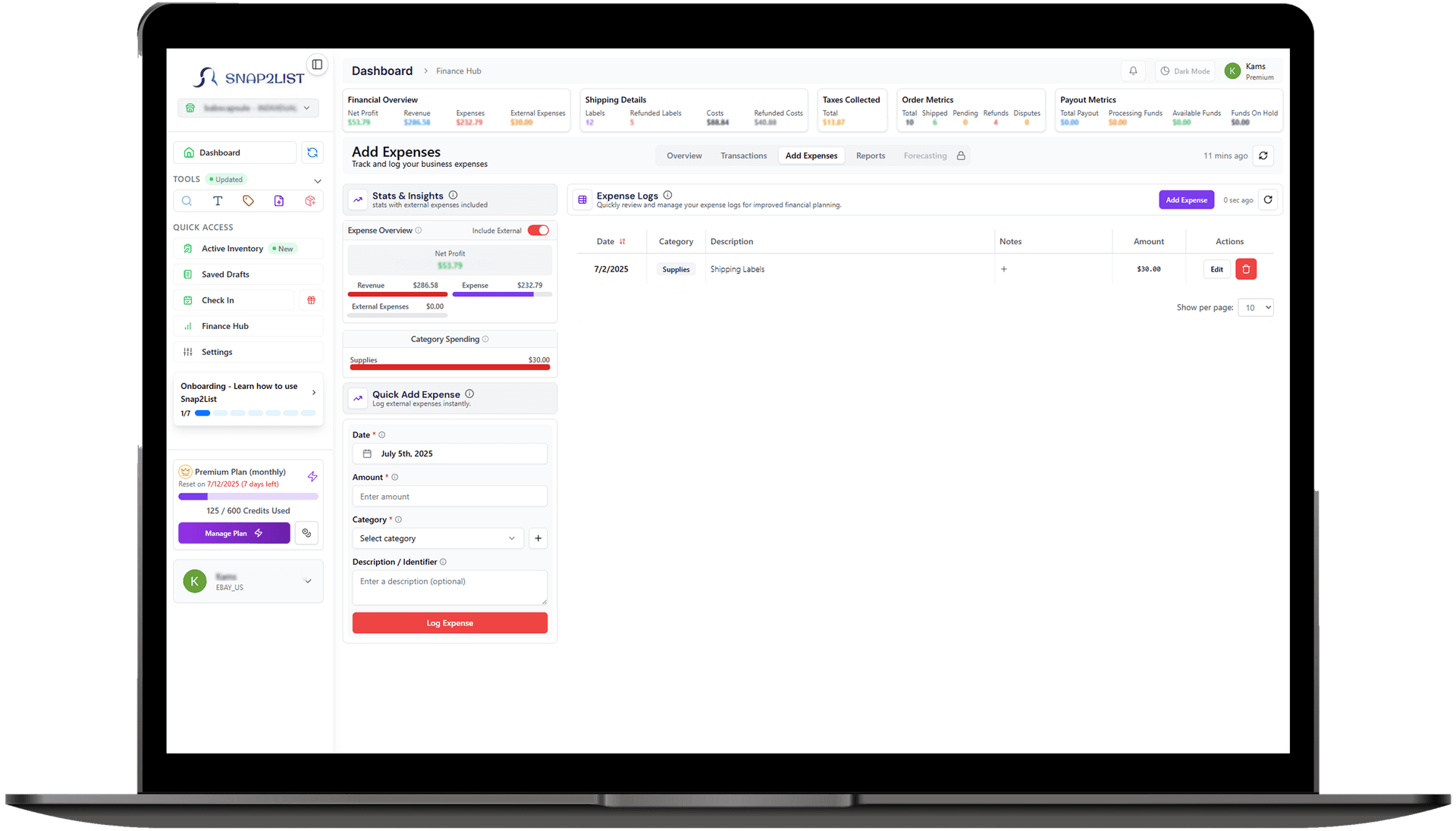
    • Expense Integration: Combine item costs with business expenses (shipping supplies, software, mileage) for complete profit visibility. Know your true take-home after ALL costs.
    • Category Performance: Which categories deliver the best margins? Track profitability by category to focus your sourcing on what actually makes money.
    • Tax-Ready Data: COGS tracking creates the documentation you need for Schedule C. Stop scrambling at tax time - your cost data is organized and exportable year-round.
    Finance Hub integration showing profit and loss reports with COGS data
    Overlay Preview

    Powerful eBay Listing Software to Sell Faster

    Snap2List is your all-in-one eBay listing software β€” instantly turn photos into optimized listings with SEO titles, smart pricing, category suggestions, profit tracking, and more.

    Launch Listings in Seconds

    Use AI to instantly turn product photos into optimized eBay listings.

    All-in-One Control Center

    Track profits, edit inventory, and manage everything from one place.

    Smart Automation

    Snap2List adapts to your workflow and improves your results over time.

    FAQ

    Frequently asked questions

    Have questions about Snap2List? Find answers about our AI-powered listing tools, automation features, pricing, and how we help you sell smarter on eBay.

    Still have questions? Email us at